Posts

Showing posts with the label photoshop

Wasting Time in Photoshop

Image
I've never done a lot with the color controls in Photoshop besides getting rid of yellow casts in photos, but of course you can do amazing things ..if you know how. This was a picture with two layers and some erasing, which left Priscilla (Iplehouse Asa) a bit streaky. Here's the original: Yes, the wig does look like a fishing lure, which is why I thought it was awesome--Scilla looks like a Warhol girl now. Here's another set of goofing around, this time a duplicate layer, Image>Adjust>Invert and then I made the layer a Color layer and mashed it down. Tada blue Cuprit, not currently on offer at Soom: I always learn new things when I do these!

Practice Piece

Image
It's from a photo of Cate Blanchett (I assume from Elizabeth?) I saw today on tumblr. I'm struggling with another piece so I took a break and did this one instead. I didn't trace off where the features were so there are some proportion oddities, and I changed a lot of small things that didn't interest me as much as her profile. Here is the original: From belaquadros.tumblr.com.

Haru's Jewel WIP

Image
I'm working on another imaginary jewel, this one based on Sicktress ' hybrid Dia boy's turban ornament, (Photo by Sicktress) but with a lot of new frou frou around the edge. These photoshop doodles are good practice--I always learn new things about making textures/compositions when I do them. Also Pearl_nautilus on tumblr put up this photo (she likes rocks too) so I wanted to add something like that to the design.: Also K has come to stay, so there are Gussie photos to be shared:

Plunderstorm

Image

Procrastipainting

Image
After doing a lot of other household maintenance things yesterday, some involving Drano, I also found an old Poser .psd file and reworked it to look a little like Moth the Iplehouse Bianca. A little. It's still good exercise, and I always learn something new about Photoshop when I do these. Oddly, I learned how to basically "stroke" a Selection..ie if you take a selection tool like the Square, make a new layer, select a square area on it, and then go to Select>Modify>Border you get this little dialog box: If you click "OK" it will create a selection area the size you want, and then go to Edit>Fill and it will fill the selection with the color you have in the palette box. This is how you make this shape: So instead of a messy, hand-drawn circle here I have a 4 pixel nice neat circle border. Do it a bunch of times and you can get this: The rectangular border was made with the pattern stamp, filling in a 20 pixel border on a new layer. Since Photosho...

Merry Christmas!

Image
More Here: Santa Classics And our own Santa Cat:

Color Dodge

Image
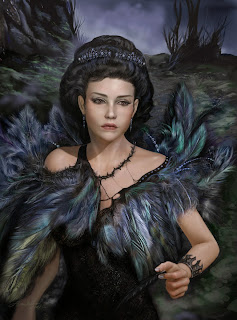
One of the brush options you have when painting in Photoshop is "Color Dodge". This is excellent for any kind of glow and magical effects, like the little sparkle spots in her hair on the left side (I think you have to click up to see them), and for drawing little tiny light hairs over dark hairs. This still needs a lot more work--she ended up with a tiny doll nose and the hair is blobby right now, and I need to fix that little frown she's got going right now. But there will be more sparkles in the background. Color dodge makes great fire effects, too.

My Job

Image
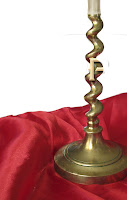
Mostly, I like my job a lot. Except when I glue a "P" to a candlestick...a complicated, reflective candlestick... by absently merging down the wrong layer in Photoshop, and then finding out an hour later (and after two "saves"). I was able to fix it after 30 minutes of erasing and careful cloning, blurring, adding "noise"... and swearing.

Just Ruffa

Image
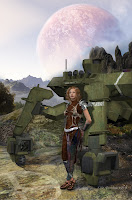
I buy virtual dolls, too--they are easy to store. This one is "PS-Face Play Ruffa" by "Pixeluna" at Renderosity.com, and she is a character for Victoria 4 (Daz3d.com's base Poser model). I did a computer render in 3d, adding clothes and hair and the mech behind her, and then manually added a lot of scenery and details in Photoshop, including a lot of textures from my trips to Cantigny for the rocks and ground.